
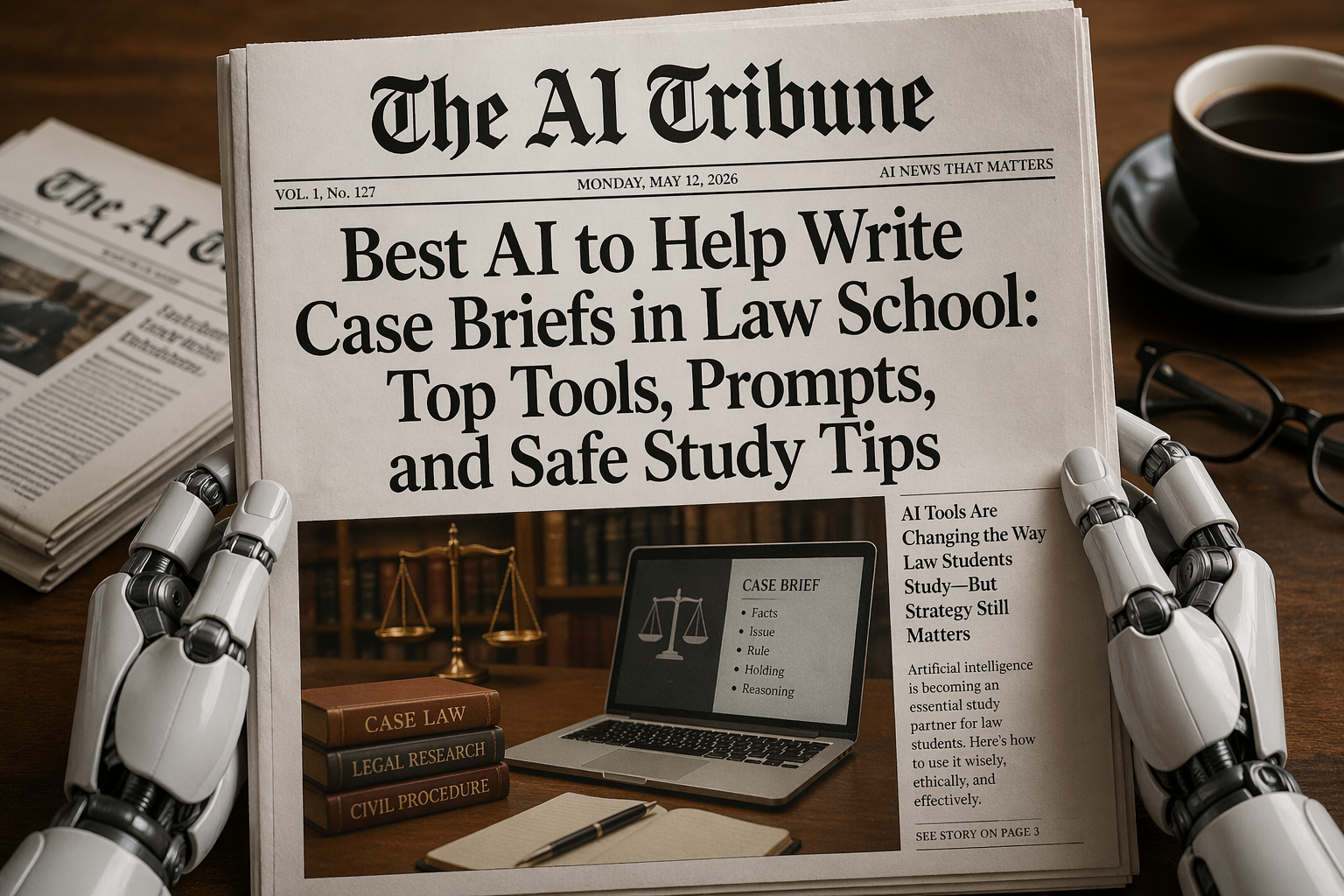
Finding the best AI to help write case briefs in law school is not as simple as opening ChatGPT and typing, “Brief this case for me.”
That might work sometimes. It might also give you a fake holding, mix up the procedural history, or confidently invent a legal rule that your professor will smell from across the classroom.
And that is the weird thing about AI in law school right now. It can be incredibly useful, but it can also make you lazy in the exact place where law school is supposed to train your brain: reading carefully, spotting issues, understanding reasoning, and explaining rules in your own words.
The best approach is not “let AI do my case briefs.” The better approach is: use AI as a study assistant, not as your substitute brain.
That matters even more because legal AI still has a hallucination problem. Stanford HAI reported that general-purpose chatbots hallucinated between 58% and 82% of the time on legal queries in earlier testing, while legal-specific AI tools also produced hallucinations in benchmarking queries. (Stanford HAI) Even in 2026, lawyers and firms are still getting in trouble for AI-generated errors in filings, including fabricated citations and misstatements of law. (Reuters)
So yes, AI can help you write better case briefs. But the best AI for law school is the one that helps you understand the case faster, not the one that helps you pretend you read it.
Also worth reading: if you are worried about academic integrity, AI detection, or school policies, AI Tribune already covered a related issue in Do Teachers and Colleges Check for AI?. Law school is not the place to gamble with unclear AI rules.
What Is the Best AI to Help Write Case Briefs in Law School?
The best AI depends on what you need.
If you already have the full case opinion, NotebookLM is one of the best free options because it answers from your uploaded sources and provides inline citations to the material you gave it. Google says NotebookLM lets users upload PDFs, websites, YouTube videos, Google Docs, Google Slides, and more, then chat with the notebook using grounded answers and inline citations. (Google Help)
If your school gives you access to premium legal research tools, Lexis+ with Protégé and Westlaw / CoCounsel Legalare stronger for citation-aware legal research because they connect AI with legal databases, case law, citators, and professional research workflows. Lexis says Lexis+ with Protégé combines primary law, secondary sources, Practical Guidance, Shepard’s citation validation, AI drafting, summarization, and uploaded document analysis. (LexisNexis) Thomson Reuters describes CoCounsel Legal as an AI tool for legal research, drafting, document analysis, and deep research grounded in Westlaw and Practical Law content. (Thomson Reuters Legal)
If you just need help organizing your thoughts, ChatGPT and Claude can be excellent. ChatGPT supports file uploads and can help summarize information, while OpenAI’s Study Mode is designed for homework help, test prep, and learning new topics. (ChatGPT) Claude can process PDFs, extract key information from legal documents, and provide document-based citations when citations are enabled. (Claude Platform)
Here is the simplest ranking:
| AI Tool | Best For | Main Weakness |
|---|---|---|
| NotebookLM | Free/source-grounded case briefing from uploaded opinions | Only as good as the sources you upload |
| Lexis+ with Protégé | Law students with Lexis access who want legal research + case summaries | Usually depends on school or firm access |
| Westlaw / CoCounsel Legal | Research validation, case law, issue spotting, deeper legal workflows | Expensive or access-limited |
| ChatGPT | Turning a case into a clean brief structure, explaining doctrine, study questions | Can hallucinate if not grounded in the actual case |
| Claude | Long case opinions, PDF analysis, clear explanations | Still needs verification against the actual opinion |
| Perplexity | Fast background research and source discovery | Not ideal for final case briefing or legal accuracy |
My honest take: for most law students, the best practical combo is NotebookLM + ChatGPT or Claude + Westlaw/Lexis verification.
NotebookLM keeps you grounded in the opinion. ChatGPT or Claude helps explain confusing reasoning. Westlaw or Lexis helps you confirm whether the case is still good law.
That three-part workflow is slower than “copy-paste and pray,” but it is also much safer.
Best AI Tools for Law School Case Briefs: Objective Breakdown
1. NotebookLM: Best Free AI for Source-Grounded Case Briefs
NotebookLM may be the best starting point for law students because it works from the documents you upload.
That is a big deal.
A normal chatbot might answer from memory or training data. NotebookLM is designed around your selected sources. If you upload the actual case opinion, your class notes, and your professor’s syllabus, it can help you summarize the facts, issue, rule, holding, reasoning, and key quotes from those materials.
For case briefs, that is exactly what you want.
A good NotebookLM workflow looks like this:
Upload the case opinion. Ask it to extract the procedural history, facts, issue, rule, holding, reasoning, disposition, and important dicta. Then ask it to cite the page or section where each answer comes from. Finally, compare that output against your own reading.
Do not skip the final comparison. NotebookLM is safer than a generic chatbot, but source-grounded does not mean perfect.
Best for: 1Ls, students using PDFs, students who want free help, students who need citations back to the case text.
Not best for: checking whether a case is still good law, finding new cases, or replacing Westlaw/Lexis research.
2. Lexis+ with Protégé: Best If Your Law School Gives You Access
Lexis+ with Protégé is one of the strongest options if your law school provides access. It is not just a chatbot sitting on the open internet. It is connected to LexisNexis legal content, Shepard’s, drafting tools, summarization, and document analysis. (LexisNexis)
That makes it especially useful when you are not only briefing one case, but also trying to understand how that case fits into a larger doctrine.
For example, if you are briefing Palsgraf v. Long Island Railroad Co., you do not just need “facts, issue, holding.” You need to understand duty, proximate cause, foreseeability, Cardozo’s reasoning, Andrews’ dissent, and why professors still torture 1Ls with it nearly a century later.
Lexis AI can help connect the case to broader doctrine, but you still need to read the original opinion yourself.
Online student comments are mixed but useful. In one Reddit law school thread, a user said Lexis AI “saves a ton of time if used correctly,” while another warned that none of the tools can generate a finished product. (Reddit) That is probably the fairest review: great starting point, bad final authority.
Best for: students with Lexis access, legal research, citation validation, connecting a case to doctrine.
Not best for: students looking for a free tool or students who want AI to do all the reading.
3. Westlaw / CoCounsel Legal: Best for Research Validation
Westlaw and CoCounsel Legal are especially useful when the case brief is part of a bigger research assignment.
Thomson Reuters says CoCounsel Legal supports research, drafting, document analysis, and Deep Research workflows grounded in Westlaw and Practical Law content. (Thomson Reuters Legal) That makes it more powerful than a basic case-summary tool.
For a normal class case brief, you may not need the full power of CoCounsel. But if you are working on a memo, note, journal assignment, moot court issue, or research-heavy legal writing project, Westlaw’s AI tools can help you find related authority and understand the case’s treatment.
Informal online reviews again show the same pattern: helpful, but not something to trust blindly. One Reddit user said Westlaw’s AI tool was “EXTREMELY good for the initial stages” of research, but warned not to rely on it 100%. (Reddit)
That is the correct mindset. Use it to get oriented. Then verify.
Best for: legal research, memo prep, validating cases, finding related authority.
Not best for: students without access or quick low-stakes briefs where a simpler tool is enough.
4. ChatGPT: Best for Turning Messy Notes Into a Clean Brief
ChatGPT is not the safest legal research tool by itself. But it is very good at structure.
If you paste in the full case opinion or your own notes, ChatGPT can help turn chaos into a clean law school case brief. It can also explain confusing passages, quiz you before class, and convert your brief into a cold-call prep sheet.
That is where ChatGPT shines.
Do not ask:
“Write me a case brief for Marbury v. Madison.”
Ask:
“Using only the case text I paste below, create a law school case brief with facts, procedural history, issue, rule, holding, reasoning, disposition, dicta, and three cold-call questions. If the answer is not in the text, say ‘not found in the provided text.’”
That one sentence changes everything.
ChatGPT can also support learning through Study Mode, which OpenAI describes as useful for homework help, test prep, and learning new topics. (OpenAI) For law students, that means you can ask it to quiz you on the rule, challenge your understanding of the holding, or explain why the dissent matters.
Best for: organizing notes, simplifying dense opinions, making study questions, cold-call practice.
Not best for: unchecked legal research, citations, or determining whether a case is still good law.
5. Claude: Best for Long Opinions and Careful Explanations
Claude is especially useful when you have long PDFs or dense legal materials. Anthropic’s documentation says Claude can process PDFs, extract key information from legal documents, translate documents, and convert document information into structured formats. (Claude Platform)
For law school case briefs, Claude is good at:
Explaining long judicial reasoning in plain English.
Separating majority, concurrence, and dissent.
Identifying policy arguments.
Turning a messy case into a clear outline.
Creating “professor-style” questions.
Claude’s citation features can also cite supported document text when enabled, including PDF page ranges. (Claude Platform) That makes it stronger when you want the AI to show where it found a claim.
Still, Claude is not a legal database. If you need to know whether a case is still good law, use Westlaw, Lexis, Bloomberg Law, or another proper legal research tool.
Best for: long PDFs, dense opinions, plain-English explanations, case comparison.
Not best for: authoritative citation checking or live legal research unless paired with proper sources.
How to Use AI to Write Case Briefs Without Getting Burned
The biggest mistake law students make is using AI before they understand the assignment.
A case brief is not just a summary. It is a training exercise. Your professor wants you to identify legally relevant facts, isolate the issue, understand the rule, explain the court’s reasoning, and see why the case matters.
If AI does all that for you, you might get a clean-looking brief and still be helpless during a cold call.
A safer workflow looks like this:
Step 1: Read the case once by yourself.
Even if you skim, read it first. Mark confusing parts. Circle the issue. Notice the procedural posture.
Step 2: Ask AI for a rough structure.
Use NotebookLM, ChatGPT, Claude, Lexis, or Westlaw to create a draft brief. Tell it to rely only on the provided case text.
Step 3: Compare AI output against the opinion.
This is where learning happens. Did the AI miss a key fact? Did it overstate the rule? Did it confuse dicta with holding?
Step 4: Rewrite the brief in your own words.
This matters for academic integrity and for your actual learning.
Step 5: Verify citations and case status.
If you are citing the case in a memo or paper, check Westlaw, Lexis, Bloomberg Law, or your school’s approved tools.
This is also where law school AI policies matter. The University of Chicago Law School’s policy, for example, says generative AI may not be used in a way that would constitute academic plagiarism, and that using AI to compose part or all of a paper or passing off AI output as your own would violate the policy. (University of Chicago Law School) Your school may have different rules, but the basic principle is the same: do not submit AI-written work as if it is yours.
And in the legal profession, the ethics pressure is even higher. The ABA has emphasized competence, confidentiality, supervision, and human oversight when lawyers use generative AI tools. (American Bar Association) That is one reason AI will change legal work, but not magically remove the need for careful lawyers. AI Tribune covered that bigger question in Will AI Replace Lawyers in 2026?.
Prompt Template: Best AI Prompt to Help Write Case Briefs in Law School
Copy and paste this prompt when using ChatGPT, Claude, NotebookLM, or another AI tool with the full case text.
Prompt:
I am a law student preparing a case brief for class. Use only the case text I provide below. Do not invent facts, citations, rules, or procedural history. If something is not clearly stated in the provided text, write “not found in the provided text.”
Create a law school case brief with these sections:
- Case name and court
- Procedural history
- Key facts
- Legal issue
- Rule of law
- Holding
- Court’s reasoning
- Disposition
- Dicta, if any
- Majority/concurrence/dissent breakdown, if relevant
- Why this case matters for class
- Three possible cold-call questions with short answers
After the brief, list any parts of the case that are ambiguous or require human review.
Then paste the case.
Here is the follow-up prompt that makes it even better:
Now critique the brief. Identify anything that may be oversimplified, uncertain, or likely to be challenged by a professor. Then give me a shorter version I can review 10 minutes before class.
And here is the prompt I would personally use before a cold call:
Pretend you are my law professor. Ask me 10 cold-call questions about this case, one at a time. Do not give me the answer until I try. If my answer is weak, push back.
That last prompt is gold because it forces you to think instead of just collecting summaries.
AI Case Briefing Mistakes Law Students Should Avoid
The first mistake is using AI without the actual case text.
If you ask a chatbot to brief a famous case from memory, it may give a decent answer. It may also blend in facts from a different case, simplify the rule too much, or make the holding sound broader than it really is. In one Reddit discussion about ChatGPT for case briefs, a user warned that if you use it, you should provide the case text because otherwise it might hallucinate. (Reddit)
The second mistake is trusting AI citations.
This is not a theoretical problem. Courts are still dealing with AI-generated legal errors. In April 2026, Reuters reported that the Oregon Court of Appeals sanctioned a lawyer after an AI-assisted brief included fabricated quotations and errors. (Reuters) Reuters also reported that Sullivan & Cromwell apologized to a federal bankruptcy judge after a filing included AI-generated inaccuracies such as fabricated legal citations and misstatements of law. (Reuters)
If elite lawyers can mess this up, a tired 1L at 1:30 a.m. definitely can.
The third mistake is confusing “briefing” with “learning.”
A case brief is not just a product. It is a process. The whole point is to train yourself to notice which facts matter, how judges frame rules, and how reasoning works.
The fourth mistake is ignoring your professor’s AI policy.
Some professors allow AI for brainstorming. Some allow it for grammar. Some require disclosure. Some ban it for submitted work. Some schools treat unauthorized AI use as an academic integrity issue. You need to know the rule before you use the tool.
The fifth mistake is putting confidential or sensitive information into a public AI tool.
This may not matter for a public casebook opinion, but it matters in clinics, internships, externships, journals, and legal jobs. If client information is involved, do not paste it into random AI tools.
This is where the legal world is heading fast. If you follow AI Tribune’s Legal Tech AI News in 2026, you can already see the pattern: legal AI is becoming normal, but verification, confidentiality, and accountability are becoming more important too.
Final Verdict: What Is the Best AI to Help Write Case Briefs in Law School?
The best AI to help write case briefs in law school is NotebookLM if you want a free, source-grounded study assistant, Lexis+ with Protégé or Westlaw/CoCounsel if your school gives you access, and ChatGPT or Claude if you want help understanding and organizing the case in plain English.
But the best workflow is not one tool.
It is this:
Read the case → upload the case → generate a structured brief → verify every important point → rewrite it in your own words → quiz yourself.
That workflow saves time without destroying the whole purpose of law school.
My personal favorite setup would be:
Use NotebookLM for the first source-grounded brief.
Use ChatGPT or Claude to explain confusing reasoning.
Use Lexis or Westlaw to verify citations and case status.
Use your own brain for the final version.
That last part is not optional.
AI can help you prepare faster, but it cannot sit in class for you, answer the cold call for you, or take your exam for you. And honestly, that is probably a good thing.
What about you? Have you used AI for law school case briefs yet? Did it help you understand the case, or did it make you feel like you were cheating yourself a little? Share your experience in the comments, because law students are clearly figuring this out in real time.
FAQ: Best AI to Help Write Case Briefs in Law School
What is the best free AI to help write case briefs in law school?
NotebookLM is one of the best free options because it works from uploaded sources and provides citations to those sources. ChatGPT and Claude are also useful, especially when you provide the full case text.
Can ChatGPT write case briefs for law school?
Yes, ChatGPT can help create case briefs, but you should paste the full case text and tell it not to invent facts, rules, or citations. Never rely on it from memory alone.
Is it cheating to use AI for case briefs?
It depends on your school, professor, and assignment rules. Using AI to study, summarize, or quiz yourself may be allowed in some classes. Submitting AI-written work as your own may violate academic integrity rules.
Can AI hallucinate legal cases?
Yes. AI tools can invent citations, misstate holdings, or summarize law incorrectly. This has caused real sanctions and court problems for lawyers. Always verify legal claims.
Is Lexis AI better than ChatGPT for law students?
For legal research, Lexis+ with Protégé is usually safer because it is connected to legal sources and Shepard’s citation validation. For explaining concepts and organizing notes, ChatGPT can still be very useful.
Is Westlaw AI good for case briefs?
Westlaw’s AI tools can be useful for legal research, case treatment, and finding related authority. For a basic class brief, it may be more than you need, but it is valuable when accuracy and citation checking matter.
Should I still read the case if AI gives me a summary?
Yes. AI summaries can help, but they should not replace reading. Professors often ask about reasoning, dissents, procedural posture, and nuance that a short AI summary may miss.


Leave a Reply