
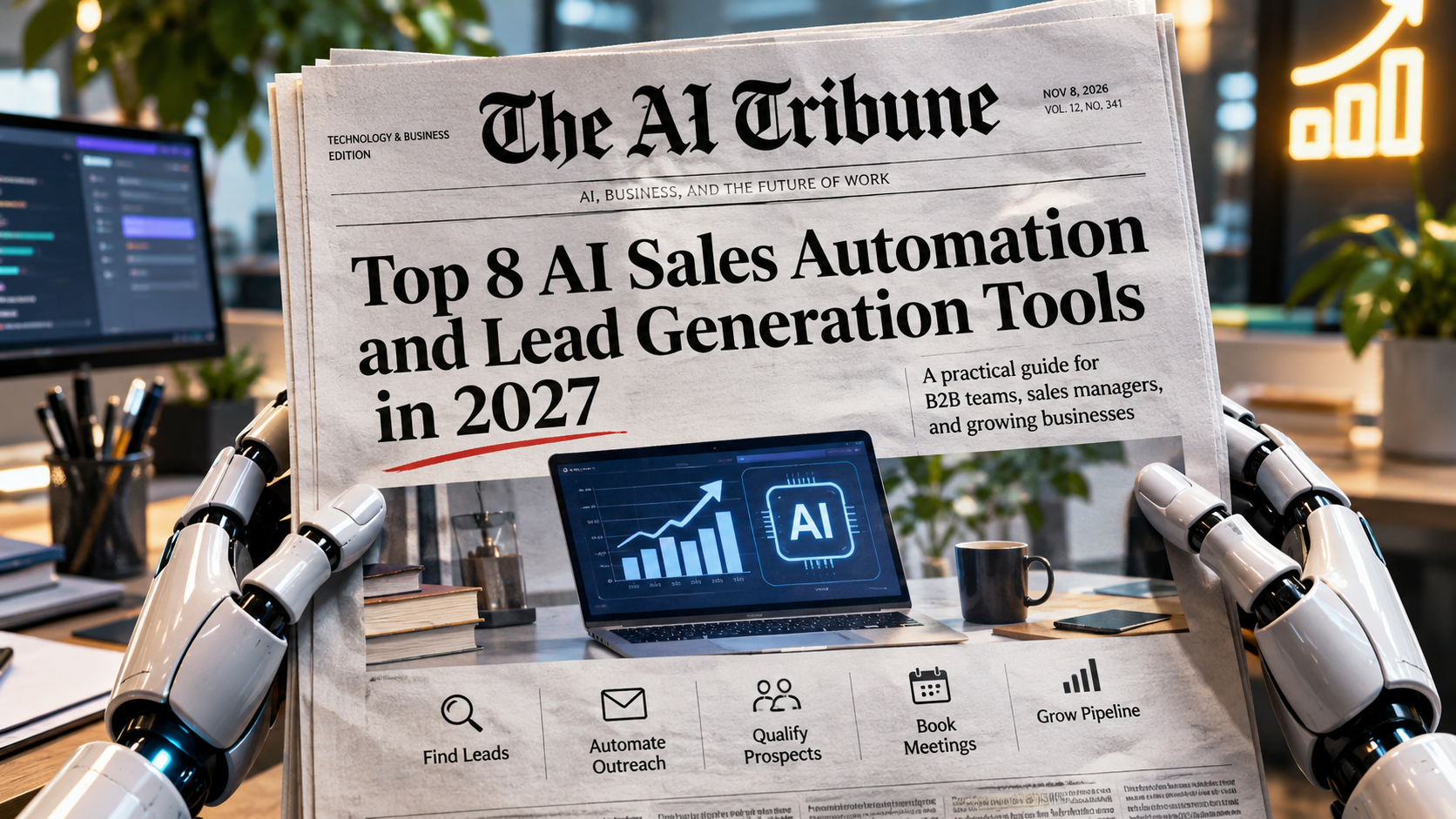
The best AI sales automation tools solve different problems. Apollo.io is a strong starting point for finding B2B prospects and running outreach campaigns. Clay is better for advanced lead enrichment and customized prospecting workflows, while HubSpot Sales Hub combines CRM management with sales automation. Reply.io offers a more autonomous AI SDR, Qualified specializes in converting inbound website visitors, and Gong analyzes customer conversations.
For larger revenue teams, Outreach provides structured sales engagement and 6sense helps identify accounts showing potential buying intent.
The right choice depends on whether your biggest challenge is finding prospects, contacting them, qualifying interest, booking meetings, or managing opportunities.
This guide compares eight platforms across their actual capabilities, pricing, integrations, automation depth, and limitations. It also includes a practical sales stack and budget for a five-person B2B team.
Quick Comparison: The 8 Best AI Sales Automation Tools
| Tool | Best for | Main category | Published starting price |
|---|---|---|---|
| Apollo.io | Small B2B teams needing lead data and outbound sequences | Prospecting and sales engagement | Free; Basic $49/user/month annually |
| Clay | Advanced enrichment, research, and prospecting workflows | Data enrichment and workflow orchestration | Free; Launch $167/month annually |
| HubSpot Sales Hub | CRM-centered sales management and follow-up | CRM and sales automation | Free tools; Starter standard price $20/seat/month |
| Reply.io | AI-assisted or autonomous outbound prospecting | Sales engagement and AI SDR | Jason AI SDR from $500/month annually |
| Outreach | Established revenue teams managing complex sales engagement | Enterprise sales engagement | Custom quote |
| Qualified | Qualifying inbound website visitors and booking meetings | Inbound AI SDR | Custom quote |
| Gong | Conversation intelligence and sales coaching | Revenue intelligence | Custom quote |
| 6sense | Account-based prospecting and buying-intent analysis | Predictive sales intelligence | Custom quote |
Pricing note: All prices are in USD, unless otherwise stated. Annual prices represent monthly equivalents when an annual commitment is required. Advertised entry prices do not necessarily include every AI feature discussed in this guide. Seat minimums, credits, onboarding, usage charges, and promotional discounts can change the final cost.
Sources: Apollo pricing, Clay pricing, HubSpot pricing, Reply AI SDR pricing, Outreach pricing, Qualified pricing, Gong pricing, and 6sense pricing.
Which AI Sales Tool Should You Choose?
The tools in this comparison are not eight interchangeable alternatives. Some manage contacts and opportunities, while others are specialized systems that work alongside an existing CRM.
| Business situation | Recommended starting point | Why |
|---|---|---|
| Solo founder testing outbound sales | Apollo.io | Combines prospect discovery, contact data, outreach, and scheduling |
| Startup with 2–10 sales employees | Apollo.io + HubSpot | Separates prospecting from CRM record management |
| Small agency building customized prospect lists | Clay | Supports enrichment from multiple providers and customizable research |
| Team wanting an AI SDR to handle more outbound work | Reply.io | Can generate outreach, process replies, and arrange meetings |
| Growing SDR team with structured outreach processes | Outreach | Supports sequences, sales tasks, team analytics, and engagement workflows |
| Salesforce-centered business with substantial inbound traffic | Qualified | AI conversations, lead qualification, routing, and meeting booking |
| Established team struggling with sales-call quality | Gong | Analyzes conversations, deal activity, and coaching opportunities |
| Enterprise selling to complex buying committees | 6sense | Account intelligence, buying signals, and account prioritization |
For companies just starting sales automation, buying all eight would be unnecessary.
A CRM, a prospecting platform, and clearly defined sales processes are usually more valuable than an expensive collection of overlapping AI tools.
How We Selected These AI Sales Tools
We reviewed 16 products before choosing the final eight:
Apollo.io, Clay, HubSpot, Reply.io, Outreach, Qualified, Gong, 6sense, Salesforce Agentforce, Salesloft, Instantly, Smartlead, lemlist, Regie.ai, Cognism, and LinkedIn Sales Navigator.
The research considered seven search topics: best AI sales tools, AI sales automation software, AI lead generation tools, AI SDR platforms, AI prospecting tools, AI sales agents, and AI outbound sales software.
Search-visible comparison content from HubSpot, TechnologyAdvice, and Hostinger illustrates a recurring problem: broad lists often place contact databases, email writing assistants, autonomous SDRs, and conversation intelligence platforms under the same label.
Those categories overlap, but they solve different operational problems.
Our selection prioritizes:
- Clear business utility: Does the product solve a recognizable sales problem?
- Documented AI capabilities: Is AI part of an identifiable workflow rather than just a marketing description?
- Workflow coverage: How well does it connect prospecting, engagement, qualification, or CRM activity?
- Integration practicality: Can a team use it alongside existing systems?
- Pricing transparency: Can buyers estimate costs and identify usage limitations?
- Operational controls: Can teams supervise messages, data updates, and automated decisions?
- Differentiation: Does the product offer a meaningfully different use case from other selected tools?
These are editorial assessments based on publicly accessible vendor documentation and comparative research, not hands-on performance tests. Vendor-reported outcomes have not been treated as independently verified results.
No paid placement information was supplied for this comparison. Any commercial relationships associated with publication must be disclosed separately by AITribune.
1. Apollo.io — Best Overall for B2B Lead Generation and Outbound Prospecting
Best for: Startups, small sales teams, SDRs, and founders who want prospect data and outreach capabilities in one platform.
Category: B2B sales intelligence and engagement.
Apollo.io is one of the most practical starting points for businesses that need to discover potential customers before they can begin selling.
Rather than requiring a separate prospect database and basic email sequencing platform, Apollo combines contact research, enrichment, outbound engagement, and sales workflow functionality.
What Apollo.io Actually Does
Its core capabilities include:
- B2B contact and company discovery using search filters.
- Email and phone data access, subject to credits and plan limits.
- AI-assisted account research and message creation.
- Automated email sequences and follow-up activities.
- Buying-intent filters, with coverage varying by plan.
- Meeting scheduling and sales activity reporting.
- CRM synchronization with supported platforms.
Apollo’s pricing and feature comparison documents its contact data, outbound capabilities, AI assistance, and plan-specific limitations.
Its HubSpot integration documentation also confirms bidirectional synchronization of contacts, accounts, and deals through the HubSpot CRM integration, along with the ability to send sales activities into HubSpot.
This means a small team can discover a prospect, research the company, prepare an outreach sequence, send messages, and retain relevant CRM history without building a complicated integration system.
Main Advantages
Apollo’s main strength is consolidation.
Many early-stage companies do not need a specialized account intelligence platform, a separate lead database, and another sales engagement application. Apollo covers substantial portions of those workflows.
It also has a free entry point, making it possible to explore the interface and validate basic prospecting processes before purchasing multiple seats.
Significant Limitations
Apollo should not be mistaken for a complete replacement for a mature CRM.
Its contact data may be outdated, incomplete, or unsuitable for some niche markets. Verification and human review remain necessary.
The credit system also deserves attention. Phone access, data enrichment, exports, and AI-related actions may have different consumption rules.
The availability of intent signals, contact selection limits, and AI features varies by plan.
Pricing
According to Apollo’s official pricing page:
| Plan | Published price |
|---|---|
| Free | $0 |
| Basic | $49/user/month, billed annually |
| Professional | $79/user/month, billed annually |
| Organization | $119/user/month, billed annually, minimum three seats |
The Basic plan advertises 30,000 credits per seat per year. Credits should not be interpreted as a guarantee of 30,000 usable contact records; consumption depends on the actions performed.
Integrations
Apollo supports Salesforce, HubSpot, email providers, and multiple sales engagement tools. Its documented CRM sync capabilities make it particularly relevant to teams already using HubSpot or Salesforce.
Who Should Avoid Apollo?
Businesses whose primary requirement is sophisticated enterprise account-intent analysis, complex revenue forecasting, or AI-led website conversations should evaluate specialist platforms.
Verdict: Apollo is the strongest starting recommendation in this comparison for a small B2B team needing both lead discovery and outbound execution.
2. Clay — Best for AI Lead Enrichment and Custom Prospecting Workflows
Best for: Growth agencies, RevOps teams, GTM engineers, and companies researching highly specific prospect segments.
Category: Data enrichment and workflow orchestration.
Clay approaches lead generation differently from a conventional contact database.
Instead of relying on one source for every contact attribute, it lets users combine data providers, research methods, signals, and AI-assisted workflows.
This is particularly useful when a company needs detailed information about target accounts rather than a large list of names and email addresses.
What Clay Actually Does
Clay supports:
- Lead and account sourcing.
- Multi-provider data enrichment and waterfall workflows.
- AI-powered company and person research through Claygent.
- Job change, hiring, and other prospecting signals.
- Custom scoring and segmentation logic.
- AI-generated personalized outreach content.
- Email sequencing.
- Integrations with CRMs and other outbound systems.
Clay’s official pricing documentation describes data enrichment across more than 150 providers, while its Claygent documentation confirms AI-assisted research functionality.
Imagine a B2B cybersecurity company that only wants to contact European SaaS businesses with specific technologies, recent hiring activity, and relevant management roles.
Clay can combine multiple sources and research steps to construct a much more targeted audience than a generic industry filter alone.
However, a successful enrichment is not proof that the resulting company is ready to buy.
Main Advantages
Clay offers considerable control over how prospect data is assembled.
Its customizable workflows are valuable when an agency serves clients with different ideal customer profiles or when a RevOps team needs to enrich records using several providers.
Clay’s native Sequencer also means it is no longer accurate to describe the platform as solely an enrichment tool.
According to Clay’s Sequencer documentation, the tool supports automated email sequences but is not intended to replace a full sales engagement platform with dialing and rep-task management.
Significant Limitations
Clay has a steeper learning curve than conventional prospecting software.
Its flexibility means teams must make decisions about enrichment sources, credit use, workflow logic, data quality, and record handling.
Most importantly, buyers should distinguish the entry-level Launch plan from Growth.
Automatic CRM synchronization and enrichment are Growth-level capabilities, not functionality that should be assumed in Clay’s cheapest paid tier.
Pricing
Clay’s published pricing lists:
| Plan | Published starting price |
|---|---|
| Free | $0 |
| Launch | $185/month, or approximately $167/month billed annually |
| Growth | $495/month, or approximately $446/month billed annually |
| Enterprise | Custom quote |
Clay uses both Actions and Data Credits. Actions measure workflow execution, while Data Credits pay for certain third-party enrichment and AI activities.
The entry Launch tier includes 15,000 monthly actions and an advertised starting allocation of approximately 2,500 data credits. Buyers should check the live allowance because pricing configurations and optional credit quantities can change.
Additional credits can increase costs. See Clay’s usage documentation.
Integrations
Clay documents connections with Salesforce, HubSpot, Outreach, Salesloft, and other systems through its integration directory. Availability and automation depth depend on the subscription tier and integration.
Who Should Avoid Clay?
Sales representatives who simply want to search for contacts and send a few emails may find the platform unnecessarily complicated.
Verdict: Clay is an excellent choice when prospect quality and customized research matter more than immediate simplicity.
3. HubSpot Sales Hub — Best for CRM-Centered Sales Automation
Best for: Small and mid-sized B2B businesses that want organized customer records, pipeline management, meeting booking, and progressively more advanced automation.
Category: CRM and sales automation.
HubSpot solves a different problem from Apollo or Clay.
A prospecting tool helps businesses find potential buyers. A CRM helps them manage relationships after those buyers enter the sales process.
HubSpot combines CRM functionality with sales tools and AI features, making it particularly useful when customer information is scattered across spreadsheets, email accounts, and individual sales representatives.
What HubSpot Actually Does
Depending on the subscription, HubSpot offers:
- Contact, company, and deal management.
- Sales pipeline tracking.
- Email templates and tracking.
- Meeting scheduling.
- Sales tasks and workflow automation.
- Reporting dashboards.
- AI-assisted research and prospecting.
- Advanced sales sequences on eligible plans.
- Lead scoring, forecasting, and conversation intelligence on higher tiers.
HubSpot’s Sales Hub pricing comparison identifies which capabilities are available in each plan.
The company also offers its Prospecting Agent, which uses CRM context and AI to recommend outreach. Its published pricing model uses HubSpot Credits, including 100 credits per recommended lead outreach.
That is a usage cost to understand, not a reason to assume unlimited AI prospecting is included with a basic subscription.
Main Advantages
HubSpot’s main advantage is providing a centralized record of sales activity.
Contacts, companies, deal stages, meeting history, and tasks can be managed inside the same system.
For a business expecting to grow, this can reduce dependence on individual employees remembering every interaction.
It also provides a practical foundation for adding specialist prospecting tools later.
Significant Limitations
HubSpot’s entry price can be misleading when compared with advanced automation requirements.
For example, according to HubSpot’s sequence documentation, the dedicated sequences tool is available with qualifying Professional or Enterprise subscriptions and appropriate seats.
A team purchasing Starter should not assume it receives the full outbound sequencing capabilities of Professional.
Advanced automation, forecasting, coaching, and AI usage can substantially increase the total cost.
Pricing
HubSpot’s official product catalog lists standard Sales Hub pricing beginning at approximately:
| Plan | Standard or advertised price |
|---|---|
| Free tools | $0, subject to user and feature limits |
| Starter | $20/seat/month standard price |
| Professional | From $90/seat/month annually, or $100 monthly |
| Enterprise | From $150/seat/month |
The current public pricing page also displays promotional Starter pricing as low as $7 per seat per month for eligible purchases. This guide uses the standard $20 price in its budget example rather than relying on a promotion.
Professional additionally lists a required $1,500 one-time onboarding fee; Enterprise lists $3,500. HubSpot Credits may generate further costs.
Integrations
HubSpot supports integrations with Apollo, Gmail, Microsoft 365, and many other business applications. Availability depends on the integration and HubSpot subscription.
Who Should Avoid HubSpot?
Businesses looking exclusively for a large external lead database or advanced waterfall enrichment should not treat HubSpot as a direct replacement for specialized sales intelligence tools.
Verdict: HubSpot is an excellent CRM foundation, especially when the objective is better sales organization rather than merely higher outbound email volume.
4. Reply.io — Best for AI SDR Automation and Personalized Outbound Outreach
Best for: B2B teams evaluating an AI SDR that can research prospects, prepare campaigns, manage replies, and assist with meeting scheduling.
Category: Sales engagement and AI SDR.
Reply.io offers conventional sales engagement functionality alongside Jason AI, its AI SDR system.
Its distinction is that it can perform more of the outbound workflow rather than simply suggesting what a human representative should write next.
What Reply.io Actually Does
According to Reply’s AI SDR documentation, Jason AI can:
- Generate outreach offers and sequences based on business information.
- Source prospects using audience filters and signals.
- Personalize individual messages.
- Conduct multichannel outreach.
- Classify and respond to prospect replies.
- Re-engage leads who stop responding.
- Assist with arranging meetings.
- Operate with approval controls or more autonomous execution.
Reply’s October 2026 product documentation also explains the distinction between AI writing assistance and AI SDR sequences.
This is important because buying access to AI-assisted email drafting is not equivalent to purchasing a system that can autonomously manage prospect conversations.
Main Advantages
Reply reduces the amount of manual work required to prepare and maintain outbound campaigns.
It is particularly relevant to smaller teams that cannot assign an employee to research every account, monitor every reply, and manually coordinate every meeting.
Its approval modes are an important advantage: businesses can require a person to review AI-generated messages before they are sent.
Significant Limitations
AI-generated outreach can contain incorrect claims, poor contextual assumptions, or inappropriate responses.
For example, an AI SDR might misinterpret a prospect’s objection or send an irrelevant follow-up if it lacks suitable business context.
Teams must provide an accurate knowledge base, define escalation conditions, and audit the automated conversation process.
The AI SDR subscription is also substantially more expensive than a basic email sequencing plan.
Pricing
Reply’s AI SDR pricing page advertises:
- Jason AI SDR Starter: From $500/month with annual billing.
- Month-to-month Starter: From approximately $800/month.
- Growth: From $1,500/month on annual terms.
- Enterprise: Custom quote.
The company also sells less expensive conventional outreach plans. Those should not be confused with Jason AI SDR pricing.
Plan allowances, contact sourcing, connected accounts, and usage restrictions must be checked before purchase.
Integrations
Reply’s integration documentation confirms native connections with Salesforce, HubSpot, Pipedrive, and Copper CRM, along with Zapier and other integration methods.
Its HubSpot integration supports two-way contact synchronization and sales activity logging, although not every CRM object or field is necessarily supported.
Who Should Avoid Reply.io?
Teams without a tested target customer profile, reliable offer, or established outreach process should not begin with autonomous sending.
Verdict: Reply is a compelling AI SDR option for teams ready to supervise automated outbound work, not for companies expecting software to discover their sales strategy for them.
5. Outreach — Best for Structured Sales Engagement at Scale
Best for: Growing and established B2B sales teams with multiple representatives, managers, and complex outbound processes.
Category: Enterprise sales engagement.
Outreach focuses on making sales execution more consistent across an organization.
This means helping representatives follow repeatable processes, prioritizing activities, managing interactions, and giving managers visibility into performance.
It is closer to a sales engagement operating system than a basic cold email application.
What Outreach Actually Does
Its sales engagement documentation describes:
- Multichannel sales sequences.
- Automated follow-up tasks.
- AI-assisted email and sequence creation.
- Response and sentiment analysis.
- Meeting scheduling and calling tools.
- Sales activity reporting.
- Team performance analytics.
- Engagement data synchronization.
- AI-assisted coaching and other revenue workflows.
Outreach also offers more advanced agents, forecasting, and conversation intelligence through its broader platform.
Main Advantages
Outreach is designed for teams that need standardized workflows, accountability, and visibility across many sales interactions.
A sales manager can use engagement data to investigate where representatives are spending time and whether prescribed outreach processes are being followed.
Its broader revenue platform also reduces the need for separate point solutions in some organizations.
Significant Limitations
Outreach requires careful implementation, data governance, and process design.
For a startup with two salespeople, the administrative burden may outweigh the benefits.
Its advanced AI capabilities also depend on purchased packages and credit allowances, rather than being universally included in every subscription.
Pricing
Outreach’s official pricing page does not publish a universal per-user starting rate.
Pricing combines seats and AI credit consumption, with packages and included functionality varying by contract.
Prospective customers should request a written quotation covering seats, AI credits, onboarding, integrations, support, and contract renewal terms.
Integrations
Outreach supports integrations with CRM systems and other revenue tools. Its platform overview describes a substantial integration ecosystem.
Buyers should verify the exact Salesforce, HubSpot, email, and calendar workflows included in their proposed package.
Who Should Avoid Outreach?
Small companies that need only contact discovery and simple follow-up sequences should consider Apollo or a lighter sales engagement product first.
Verdict: Outreach is best suited to an established sales operation that needs execution discipline across multiple people and workflows.
6. Qualified — Best AI SDR for Inbound Lead Qualification and Meeting Booking
Best for: B2B businesses receiving meaningful website traffic, particularly companies with an established inbound sales process.
Category: Inbound AI SDR.
Most AI lead generation tools in this comparison focus on finding and contacting people who have not yet approached the business.
Qualified focuses on the opposite situation: potential buyers who are already visiting a company’s website, responding to marketing, or showing interest.
Its AI SDR, Piper, is designed to engage those visitors and help connect suitable prospects with sales representatives.
What Qualified Actually Does
Qualified’s Piper product documentation describes:
- AI-powered website conversations.
- Text, voice, and video engagement.
- Inbound lead qualification.
- Email follow-up and nurturing.
- Meeting scheduling.
- Lead routing.
- Account segmentation and enrichment.
- Reporting and CRM-connected workflows.
A B2B software company’s website visitor might ask about integrations, implementation requirements, or product fit.
Rather than simply offering a generic chatbot response, an appropriately configured AI SDR can answer supported questions, gather relevant qualification information, and offer a meeting when the visitor meets the team’s criteria.
Main Advantages
Qualified focuses on leads who have already demonstrated some interest.
That makes it operationally different from a cold outreach platform.
Its combination of conversational qualification, routing, and scheduling may be particularly valuable to businesses with an established website conversion funnel.
Significant Limitations
Qualified is not a substitute for generating initial website traffic.
If a company receives very few relevant visitors, there may be little inbound activity for the AI SDR to handle.
The platform also requires accurate product information, qualification rules, and routing logic.
Complex technical questions, sensitive commercial discussions, or unsupported claims must be escalated appropriately.
Pricing
Qualified uses custom pricing.
Its official pricing page lists Premier, Enterprise, and Ultimate packages.
The publicly described Premier package includes capacity for 250,000 monthly web sessions and 2,500 monthly active email contacts. Enterprise expands those allowances and includes additional handoff and API functionality.
These capacity allowances are not prices and should not be mistaken for unlimited usage.
Integrations
Qualified emphasizes Salesforce-connected workflows and also documents connections with other go-to-market tools, including HubSpot, Marketo, and Outreach, through its integration directory.
Who Should Avoid Qualified?
Very early-stage companies with limited website traffic or businesses needing only cold email prospecting should begin elsewhere.
Verdict: Qualified is a focused option for improving inbound sales processes, particularly when website traffic already exists but qualification and response coverage are inconsistent.
7. Gong — Best for AI Conversation Intelligence and Sales Coaching
Best for: Established B2B sales teams that want to understand customer conversations, improve coaching, and identify deal risks.
Category: Revenue intelligence and conversation intelligence.
Gong is not primarily a lead database or an outbound prospecting tool.
Its core value comes from analyzing sales interactions and connecting those conversations to the broader revenue process.
For businesses already generating leads and booking meetings, that distinction matters.
What Gong Actually Does
Gong’s Revenue AI platform supports:
- Automatic capture and analysis of customer interactions.
- Conversation summaries and insights.
- Sales coaching and performance review.
- Deal intelligence.
- Pipeline analysis.
- Revenue forecasting capabilities.
- Customer interaction context connected to CRM records.
Gong also provides engagement capabilities through Gong Engage, but buyers should verify the modules included in a proposal rather than assuming every feature belongs to a standard conversation intelligence subscription.
Main Advantages
Gong addresses the quality of sales interactions.
For example, if opportunities repeatedly stall after technical demonstrations, sales managers may want to investigate whether certain objections or unanswered questions recur.
Conversation intelligence can make that investigation more systematic.
It can also help representatives review commitments, prepare follow-ups, and reduce manual note-taking.
Significant Limitations
Gong cannot compensate for weak lead generation if a company has very few customer conversations to analyze.
The quality of its outputs also depends on the quality, completeness, and availability of recorded interactions.
Recording creates additional privacy, consent, employee monitoring, and data retention considerations.
Pricing
Gong does not publish a simple self-service starting price.
Its official pricing page confirms that pricing involves per-user licensing and a platform fee related to the number of supported users.
Organizations should request a quotation covering required modules, implementation, access permissions, and data retention requirements.
Integrations
Gong’s CRM documentation identifies native integrations with Salesforce, HubSpot, and Microsoft Dynamics 365.
The documentation also explains that a Gong workspace can connect to one CRM at a time.
Who Should Avoid Gong?
Businesses whose immediate challenge is finding their first qualified prospects generally do not need a dedicated revenue intelligence platform.
Verdict: Gong becomes more relevant when an organization has enough meaningful sales conversations to benefit from systematic analysis and coaching.
8. 6sense — Best for Predictive Account Intelligence and Enterprise Prospecting
Best for: Mid-market and enterprise B2B organizations using account-based sales and marketing strategies.
Category: Predictive sales intelligence and account-based go-to-market technology.
6sense focuses on identifying and prioritizing accounts that may be moving toward a purchasing decision.
For businesses selling complex products to large organizations, individual contact lists are often insufficient.
A potential customer may involve multiple decision-makers, researchers, financial approvers, and technical evaluators.
6sense attempts to help revenue teams understand account-level buying signals and prioritize engagement.
What 6sense Actually Does
Its Sales Intelligence platform describes capabilities including:
- Account and contact intelligence.
- Buying-intent signals.
- Recommended contacts.
- AI-assisted account research.
- Account prioritization.
- CRM and marketing data integration.
- Predictive modeling and other intelligence capabilities, depending on the purchased package.
- Optional AI email and agent functionality.
The important distinction is between intent signals and confirmed purchase intent.
A platform may estimate that an account is researching a topic or exhibiting relevant behaviors. That does not prove that a particular employee has approved a budget or wants to receive outreach.
Main Advantages
6sense is particularly relevant to account-based marketing and sales teams.
Rather than distributing prospect lists solely by industry or company size, teams can use account intelligence to prioritize research and engagement.
This may help coordinate sales and marketing around the same organizations.
Significant Limitations
Intent data is probabilistic and must be interpreted carefully.
An account researching a subject could be considering a purchase, studying a competitor, or investigating the topic for unrelated reasons.
Data coverage and model quality also vary by market.
6sense is unlikely to be economical or operationally necessary for most solo founders.
Pricing
The company’s official pricing page uses custom quotations.
Pricing can depend on purchased products, users, credits, records, conversations, and data packages.
AI email functionality and other advanced capabilities may be separate additions.
Integrations
6sense supports CRM and sales engagement integrations including Salesforce, HubSpot, Outreach, Salesloft, and Microsoft Dynamics, as documented in its Sales Intelligence integration guide.
Who Should Avoid 6sense?
Small teams selling inexpensive products through simple sales processes should not begin with an enterprise account-intelligence platform.
Verdict: 6sense is worth shortlisting when account selection and buying-committee complexity are more important than simply expanding an email prospect list.
AI Sales Stack Comparison Matrix: Which Tools Handle Which Workflows?
A useful comparison needs to show where capabilities overlap and where a tool depends on another product.
The following matrix focuses on the seven activities most relevant to acquiring and qualifying B2B customers.
Legend: Yes = documented core capability; Partial = limited, plan-dependent, adjacent, or enabled through integration; No = not a primary documented use case.
| Platform | Finding leads | Enriching contacts | Writing outreach | Automated follow-ups | Managing CRM records | Qualifying inbound leads | Booking meetings |
|---|---|---|---|---|---|---|---|
| Apollo | Yes | Yes | Yes | Yes | Partial — CRM sync | No | Yes |
| Clay | Yes | Yes | Yes | Yes — Sequencer | Partial — Growth sync | Partial — data scoring | No — not core |
| HubSpot | Partial — AI/CRM data | Partial — tier/credits | Yes | Partial — tier-dependent | Yes | Yes — forms, scoring, routing | Yes |
| Reply.io | Yes — AI SDR | Yes — AI SDR | Yes | Yes | Partial — CRM sync | No — not inbound website SDR | Yes |
| Outreach | Partial — research/enrichment | Partial — package-dependent | Yes | Yes | Partial — CRM sync | No — not core | Yes |
| Qualified | Partial — inbound identification | Partial — account enrichment | Yes — agent conversations | Yes | Partial — CRM integration | Yes | Yes |
| Gong | No | No — not core | Partial — Engage | Partial — Engage | Partial — CRM context | No — not core | Partial — engagement tools |
| 6sense | Yes — account intelligence | Yes | Partial — AI Email | Partial — add-ons | Partial — CRM integration | Partial — intent scoring | No — not core |
Important: Data scoring is not the same as conversational inbound qualification. CRM synchronization is not equivalent to being a full CRM. Similarly, writing a follow-up message does not mean that a product automatically sends, monitors, and manages the entire conversation.
This matrix is a capability map, not a benchmark of product quality. It does not imply that every listed feature exists in the lowest-priced plan.
Where Are the Biggest Overlaps?
Apollo and Clay: Both can find and enrich prospects and support email sequences. Clay becomes more attractive when a team needs customized enrichment across multiple providers. Buying both purely for basic lead searches often duplicates spending.
Apollo and Reply.io: Both support outbound execution. Reply’s autonomous SDR capabilities may justify the extra expense for some teams, but a buyer should first determine whether existing Apollo sequences and AI assistance already cover the workflow.
HubSpot and Outreach: Both can support sales activities, sequences, and CRM-connected processes. A company using HubSpot Professional should evaluate its built-in automation before purchasing a separate engagement platform.
Outreach and Gong: Their broader products overlap in conversation intelligence, engagement, and revenue workflows. Buyers should compare specific modules and contracts rather than only company names.
Qualified and Reply.io: Both use AI for prospect conversations and scheduling, but their core workflows differ. Qualified emphasizes inbound website and marketing interactions; Reply emphasizes outbound prospecting.
How AI Lead Generation Actually Works
AI lead generation is not a process where software creates customers from nothing.
It combines data, qualification logic, automated communication, and human sales activity to identify and engage potential buyers.

Step 1: Define the Ideal Customer Profile
A business first decides which companies are realistic customers.
Criteria may include industry, geography, company size, technology stack, job roles, business model, or relevant operational needs.
For example, a company selling accounting automation software might target small professional-services firms that process substantial recurring invoices.
The more specific the target, the easier it becomes to evaluate whether an identified prospect is genuinely relevant.
Step 2: Discover Potential Accounts and Contacts
A prospecting platform identifies organizations and people that match the target profile.
This may involve structured databases, firmographic data, company websites, professional information, or other lawful data sources.
Tools such as Apollo and Clay support different versions of this discovery process.
The output is a list of potential prospects, not a list of verified buyers.
Step 3: Enrich and Validate Data
Enrichment adds information such as:
- Company size and industry.
- Job title and department.
- Business email address.
- Technology usage.
- Hiring or organizational changes.
- Other relevant account signals.
Contact accuracy is particularly important because poor data creates bounced emails, wasted sales time, and inappropriate outreach.
Step 4: Qualify and Prioritize Prospects
Qualification asks whether a prospect resembles the company’s target buyer and whether there is sufficient reason to engage them.
Some systems apply rules. Others use predictive scores or AI-generated assessments.
A high score should prompt investigation, not be treated as proof of purchasing intent.
Step 5: Create Relevant Outreach
AI can help draft messages using the prospect’s industry, business context, or a verified trigger.
Useful personalization explains why the communication is relevant.
Simply mentioning a person’s name or employer does not make a message meaningful.
Claims should be checked against reliable information before sending.
Step 6: Automate Appropriate Follow-ups
Sales engagement systems schedule subsequent messages and tasks.
More capable AI SDRs can interpret replies, prepare responses, and assist with booking meetings.
However, automation should stop or escalate when a prospect opts out, expresses dissatisfaction, asks a sensitive question, or requests something the system cannot substantiate.
Step 7: Record and Analyze the Outcome
A CRM tracks whether the interaction led to an appropriate conversation, meeting, or opportunity.
Revenue teams can then analyze the process without confusing activity with success.
Sending more emails is not inherently a good result. The objective is to improve relevant business conversations while controlling cost, quality, and risk.
Traditional Sales Automation vs. AI Sales Agents
The term AI sales agent is frequently used more broadly than it should be.
Traditional sales automation executes predetermined actions.
An AI agent can interpret information and choose certain next actions within a defined workflow.
| Capability | Traditional sales automation | AI sales agent |
|---|---|---|
| Main operating method | Predetermined rules and triggers | AI interpretation within configured boundaries |
| Message creation | Templates and variables | Context-aware generated content |
| Follow-up timing | Defined sequence schedule | May adapt to replies and intent signals |
| Reply handling | Keyword rules or manual inbox review | Can classify or draft responses |
| Lead research | Filters and predefined lookups | May perform iterative research |
| Decision-making | Mostly rule-driven | Limited delegated decisions |
| Human supervision | Required for design and exceptions | Required for design, monitoring, and exceptions |
| Main risk | Poor workflow configuration | Incorrect reasoning, factual errors, and inappropriate actions |
For example, a traditional sequence may send a follow-up three days after the first email unless the prospect replies.
An AI SDR may analyze a reply, determine that the prospect wants technical information, and draft an appropriate response using an approved knowledge base.
That does not make the AI agent infallible or fully independent.
A business still needs to define what the system can say, what it can access, when it can send messages, and when a human must intervene.
AITribune has explored the broader ambitions and uncertainty of autonomous business systems in its article on Runable’s AI agent and business automation platform.
Example: An AI Sales Workflow for a Five-Person B2B Team
Consider a fictional B2B company called Northstar Operations, which sells workflow software to professional-services businesses.
Its five-person sales operation consists of a founder, two SDRs, one account executive, and one RevOps coordinator.
The company already has business email accounts and wants to improve prospect discovery, outbound follow-up, and CRM organization without purchasing an enterprise software stack.
Recommended Starting Stack
Apollo Basic + HubSpot Sales Hub Starter
Apollo handles prospect research and outbound sequences. HubSpot serves as the CRM system of record.
This combination avoids purchasing advanced revenue intelligence or an autonomous SDR before the company has established reliable sales processes.
How the Workflow Operates
Monday — Research and prospect selection
The SDRs use Apollo to find companies matching the approved customer profile.
They review job titles, employer information, relevance, and contact records. Prospects with insufficient information are excluded rather than automatically contacted.
Tuesday — Qualification and message preparation
The team identifies which accounts are genuinely relevant.
AI can assist with drafting, but representatives verify personalization details and remove unsupported statements.
One approved outreach approach is selected for the initial campaign.
Wednesday — Controlled outreach
The SDRs use Apollo to manage appropriately targeted email sequences.
The team configures suppression rules, sending limits, opt-out handling, and follow-up timing.
The process is supervised rather than fully autonomous.
Thursday — Human engagement and scheduling
When prospects reply with relevant business questions, the SDRs handle those conversations.
Interested prospects can receive a meeting link.
The account executive prepares for qualified meetings using the CRM’s account and contact history.
Friday — CRM review and reporting
The RevOps coordinator checks synchronization, duplicate records, suppression status, and activity logs.
The founder reviews the quality of discussions and identifies where the process needs improvement.
The Important Integration
Apollo’s HubSpot CRM integration supports synchronization of contact and account data and sales activity history on eligible paid Apollo plans.
This permits the team to use Apollo for outbound execution while keeping HubSpot as its central CRM.
HubSpot Starter itself does not provide the full HubSpot Professional sequencing tool. The example therefore relies on Apollo for outbound sequences.
Which Activities Remain Human-Owned?
The team continues to own prospect selection standards, sensitive reply handling, customer qualification, meeting conversations, and final purchasing decisions.
The software supports execution, but responsibility for what the company sends and records remains with the business.
Verified Budget: What Could This Five-Person Sales Stack Cost?
A realistic budget should use published prices instead of assuming that every AI tool costs a small flat monthly subscription.
For this calculation, all five employees receive paid Apollo Basic and standard HubSpot Starter seats. This is a conservative licensing assumption; a real company might need fewer paid prospecting seats.
Core Stack
| Product | Seats | Verified price basis | Monthly equivalent |
|---|---|---|---|
| Apollo Basic | 5 | $49/user/month, annual billing | $245 |
| HubSpot Sales Hub Starter | 5 | $20/seat/month standard price | $100 |
| Total | $345/month |
Annualized software cost: $345 × 12 = $4,140.
Sources: Apollo’s official price list and HubSpot’s standard product catalog.
The calculation assumes the listed standard subscriptions are available to the team under those terms. It excludes promotional discounts.
Optional Addition: Clay Launch
Suppose the team later needs more sophisticated account enrichment and wants to add Clay.
Clay Launch starts at approximately $167 per month on annual billing.
| Stack | Monthly equivalent | Annualized cost |
|---|---|---|
| Apollo Basic + HubSpot Starter | $345 | $4,140 |
| Add Clay Launch | +$167 | +$2,004 |
| Expanded stack total | $512 | $6,144 |
Source: Clay official pricing.
This is a subscription calculation, not a guaranteed all-inclusive quotation.
It excludes taxes, mailbox subscriptions, domains, optional verification services, additional data usage, implementation work, and other add-ons.
Also, Clay Launch does not include the automatic CRM synchronization features associated with Growth. The team should not purchase Launch on the assumption that it will automatically maintain every HubSpot field.

Is Clay Worth Adding?
Not immediately.
Apollo already supplies contact discovery, enrichment, outbound campaigns, and AI assistance.
Clay becomes more compelling when the team can identify a specific missing capability, such as customized research across several sources or advanced enrichment logic.
Otherwise, the additional $2,004 annualized subscription expense may simply duplicate existing functionality.
What About Adding an AI SDR?
Reply’s Jason AI SDR starts at $500 per month with annual billing.
For the fictional company, that would represent at least $6,000 in additional annualized subscription spending if bought alongside the existing stack.
Because Reply also provides prospecting and engagement capabilities, the company should consider replacing an overlapping outbound product rather than automatically adding another platform.
The correct financial comparison is replacement cost versus incremental capability, not the number of features in each vendor’s product description.
How to Choose an AI Sales Automation Platform
Sales managers should evaluate potential software against an actual workflow instead of relying on feature lists.
1. Identify the Primary Bottleneck
Start with the task that is slowing the team down.
Is it difficult to find suitable accounts? Are contact records incomplete? Are inquiries going unanswered? Are meetings poorly qualified? Is CRM information unreliable?
Different answers lead to different buying decisions.
2. Audit Existing Software
Examine the features already included in your CRM, email platform, prospecting database, and meeting software.
A business may discover it already pays for sequencing, AI summaries, lead scoring, or scheduling.
An additional platform should introduce new value, not simply duplicate what employees have not learned to use.
3. Test the Exact Workflow
Do not evaluate software only through a polished vendor demonstration.
Build a pilot that uses your own sales process.
For an outbound platform, inspect contact relevance, data accuracy, personalization quality, reply classification, suppression controls, and CRM synchronization.
For an inbound AI SDR, test common visitor questions, unclear requirements, escalation requests, and meeting routing.
For conversation intelligence, check whether summaries and insights faithfully reflect the underlying interaction.
4. Compare Total Cost
Ask each vendor for a written breakdown of:
- User seats and minimum commitments.
- Credits, contacts, and action allowances.
- Email sending or mailbox costs.
- AI-generated research and message usage.
- CRM and API access.
- Implementation and onboarding.
- Support packages.
- Renewal and overage terms.
Pricing structures can differ enough that the lowest advertised subscription is not the cheapest operational option.
5. Test Data Quality Before Buying Volume
A large contact database is valuable only if its records match the organization’s actual market.
Run a controlled assessment using relevant accounts and independently check the resulting contact data.
Avoid relying entirely on a vendor’s own data accuracy claims.
6. Define Human Approval Rules
Before activating automation, decide which messages can be sent without approval.
Sensitive pricing commitments, legal representations, unusual customer requests, disputed facts, and complaints should have a clear human escalation path.
7. Establish Success and Guardrail Metrics
Useful evaluation metrics include:
| Metric | What it helps assess |
|---|---|
| Verified relevant prospects | Whether the platform finds suitable contacts |
| Data accuracy | Quality of company and contact records |
| Human review time | Amount of work required to approve outputs |
| Positive reply quality | Whether conversations are commercially relevant |
| Meetings held | Whether scheduled meetings actually occur |
| Sales-qualified opportunities | Progression beyond initial interest |
| Cost per qualified opportunity | Software and operational cost efficiency |
| CRM sync errors | Operational reliability |
| Unsubscribe and complaint rates | Outreach quality and recipient friction |
| AI escalation and correction rate | Reliability of autonomous interactions |
These are recommended measurement categories, not claimed performance benchmarks.
The pilot should also evaluate how the software handles mistakes and exceptions.
A tool that produces fewer usable contacts but more accurate records may be a better investment than one that generates a larger, poorly qualified list.
Risks and Limitations of AI Sales Automation
AI sales tools can improve operational consistency, but they also introduce risks involving data quality, privacy, legal obligations, customer experience, and brand reputation.
1. Incorrect Contact Data
Lead databases can contain outdated job titles, incorrect emails, duplicated records, or improperly matched people.
AI-generated research may also summarize information incorrectly.
Businesses should validate important attributes and provide a process for correcting or deleting inaccurate records.
2. Fabricated Personalization
AI-generated messages sometimes present assumptions as facts.
For example, an outreach email might state that a company recently expanded into a new market when no credible evidence supports that claim.
This can damage trust before a sales conversation even begins.
Avoid claims that cannot be verified, and do not manufacture familiarity with a recipient.
3. Email Deliverability Problems
Automated outreach creates risks related to sender reputation, complaint rates, authentication, and unwanted messages.
Google’s email sender guidelines require authentication and other sender practices. Additional obligations apply to senders exceeding 5,000 daily messages to personal Gmail accounts, including SPF, DKIM, DMARC, and applicable one-click unsubscribe requirements.
Meeting technical sender requirements does not guarantee delivery or make an unsolicited campaign lawful.
4. Privacy and Anti-Spam Obligations
Different jurisdictions impose different requirements.
United States: The Federal Trade Commission’s CAN-SPAM guidance covers commercial email, including business-to-business messages. Requirements include accurate sender information, nondeceptive subject lines, an appropriate postal address, an opt-out mechanism, and honoring opt-out requests within 10 business days.
CAN-SPAM is not a general requirement to obtain advance consent for every commercial B2B email, but it does not eliminate other applicable laws or restrictions.
European Union: The GDPR applies where personal data is processed within its scope. The European Commission’s guidance on lawful processing explains that legitimate interests may sometimes justify processing, subject to necessity and balancing requirements.
This should not be confused with automatic permission to send unsolicited marketing emails. Electronic marketing rules under applicable national laws and the ePrivacy framework must also be considered.
Individuals have the right to object to processing for direct marketing, as explained by the European Commission.
United Kingdom: The ICO’s B2B marketing guidance distinguishes corporate subscribers from sole traders and certain partnerships.
Under PECR, consent rules differ by subscriber type. UK GDPR obligations can still apply where personal data about identifiable business contacts is processed.
Canada: Canada’s Anti-Spam Legislation generally requires consent, identification, and an unsubscribe mechanism for commercial electronic messages, subject to applicable exceptions and rules regarding implied consent.
The CRTC’s official guidance also explains that CASL can apply to commercial messages sent to Canadian recipients from outside Canada.
These are general considerations, not legal advice. Organizations should assess the relevant countries, recipient categories, communication channels, and legal bases before deploying campaigns.
5. Autonomous AI Can Escalate Mistakes
An AI SDR may misunderstand a prospect’s reply, make an unsupported claim, or continue communication when it should stop.
Before enabling autonomous sending, test whether the system reliably recognizes:
- Unsubscribe and do-not-contact requests.
- Complaints and negative responses.
- Requests for human assistance.
- Pricing and contractual questions.
- Unsupported product claims.
- Existing customer relationships.
- Duplicate or previously contacted prospects.
Audit trails, approval controls, and a reliable emergency pause are essential operational safeguards.
6. CRM Errors Can Spread Across Systems
Poorly configured synchronization can overwrite fields, create duplicates, or distribute incorrect contact information.
Start with controlled field mappings and confirm how conflicts are handled.
A bidirectional integration should never be assumed to synchronize every record type or activity perfectly.
7. Vendor Lock-In and Usage Costs
Some platforms charge per user, others by credits, records, contacts, messages, or usage.
A company’s costs may rise as campaigns expand, even if its headcount remains unchanged.
Review export options, data ownership, cancellation terms, and access to historical records before signing a long-term contract.
8. Conversation Recording and Employee Privacy
Conversation intelligence requires particular care.
Meeting participants and employees may have legal rights and reasonable expectations regarding recording, notification, monitoring, retention, and access.
Businesses should establish appropriate policies and consider applicable consent and employment requirements before deploying recording or analysis tools.
For a broader discussion of autonomous-system governance, AITribune’s analysis of AI Score and the challenge of monitoring AI agents provides additional context.
Frequently Asked Questions About AI Sales Automation
What is the best AI sales automation tool for a small business?
Apollo.io is a practical starting option for small B2B teams because it combines prospect discovery, AI assistance, outreach sequences, and meeting scheduling.
If the business also needs centralized pipeline management, HubSpot is a logical CRM companion.
The best choice still depends on the company’s target market and sales process.
What is the difference between AI lead generation and AI sales automation?
AI lead generation focuses on identifying, enriching, and qualifying potential customers.
AI sales automation covers a wider process, including outreach, follow-ups, scheduling, CRM activity, and sales reporting.
Some products support both, but they should not be treated as identical categories.
Can AI sales agents replace SDRs?
They can automate portions of SDR work, including research, message preparation, initial communication, follow-up, and scheduling.
They do not reliably replace all human judgment involving buyer qualification, nuanced conversations, objections, relationship development, and complex negotiations.
Autonomous capabilities also vary substantially between vendors.
Are AI SDRs worth the money?
An AI SDR may be worthwhile when a team has a clearly defined customer profile, sufficient prospect volume, dependable knowledge resources, and an established process.
A startup that has not validated its offer may gain more from improving its sales approach than from purchasing autonomous outreach.
Costs and benefits should be evaluated through a controlled pilot.
Which AI tool is best for finding B2B email addresses?
Apollo and Clay both support B2B contact discovery and enrichment.
Apollo is generally simpler for conventional database-driven prospecting, while Clay offers more flexibility for combining enrichment providers and custom research.
No platform should be assumed to produce perfectly accurate email records.
Can AI sales tools automatically book meetings?
Yes. Products such as Apollo, HubSpot, Reply, Qualified, and Outreach offer scheduling-related capabilities, although the degree of autonomy differs.
A scheduling link is not the same as an AI agent that handles qualification, checks availability, and negotiates a meeting through a conversation.
Do I still need a CRM if I use an AI sales tool?
Usually, yes.
A CRM provides a central record of customers, relationships, and opportunities.
Some AI sales platforms include CRM functionality, while others rely on Salesforce, HubSpot, or another system.
The important requirement is clear data ownership and reliable synchronization.
Which tools are best for sales agencies?
Clay is particularly useful for agencies building differentiated prospect lists and enrichment workflows.
Apollo can be suitable for straightforward prospecting and outreach.
Agencies managing multiple client campaigns should also evaluate workspace separation, access controls, client reporting, data licensing, and contract terms.
Are AI-generated cold emails legal?
Their legality depends on the jurisdiction, recipient, communication type, data processing arrangements, and applicable marketing rules.
Using AI does not create an exception from privacy or anti-spam legislation.
Businesses remain responsible for lawful targeting, accurate messaging, appropriate notices, opt-out handling, and other relevant obligations.
Is 6sense better than Apollo?
Neither is universally better.
Apollo emphasizes B2B contact discovery and practical outbound execution.
6sense emphasizes account intelligence, buying signals, and enterprise-oriented account prioritization.
They serve different sales models, although some capabilities overlap.
Do I need Gong and Outreach together?
Not necessarily.
Both offer capabilities related to engagement, conversation insights, and revenue workflows.
A business should compare the specific modules it needs, identify overlap, and evaluate whether one platform provides sufficient coverage.
Final Recommendations: Which AI Sales Tool Is Worth Buying in 2027?
For most businesses, the smartest AI sales stack is not the one with the most automation.
It is the one that removes a measurable operational bottleneck while preserving sales quality, customer trust, and visibility.
Best overall starting point: Apollo.io. Its combination of B2B prospect discovery, enrichment, sequences, AI assistance, and scheduling makes it a practical option for small sales teams.
Best CRM foundation: HubSpot Sales Hub. It provides a structured system for managing contacts, deals, sales tasks, and reporting, with more advanced automation available as needs grow.
Best advanced enrichment platform: Clay. Choose it when your team requires customized prospect research and multiple data sources rather than just another contact list.
Best autonomous outbound option: Reply.io. Its AI SDR capabilities are relevant when a team has defined processes and is prepared to supervise AI-generated conversations.
Best for established sales engagement: Outreach. Its strengths become more valuable when managers need consistent workflows and reporting across larger teams.
Best inbound AI SDR: Qualified. It deserves attention from businesses with meaningful website traffic that need better visitor qualification and meeting routing.
Best conversation intelligence: Gong. It is suited to sales teams looking to improve existing customer interactions rather than solve a shortage of prospects.
Best enterprise account intelligence: 6sense. It fits account-based selling environments where buying signals, account prioritization, and complex decision-making structures are central to the sales strategy.
For a typical five-person B2B startup, our first shortlist would be Apollo and HubSpot, with Clay or a dedicated AI SDR evaluated only after a specific need emerges.
For an enterprise team, the shortlist should begin with its existing CRM and sales engagement architecture before considering a platform such as Outreach, Gong, Qualified, or 6sense.
The central buying principle is straightforward: choose software based on the sales work it demonstrably improves, not the amount of AI autonomy a vendor advertises.


Leave a Reply