
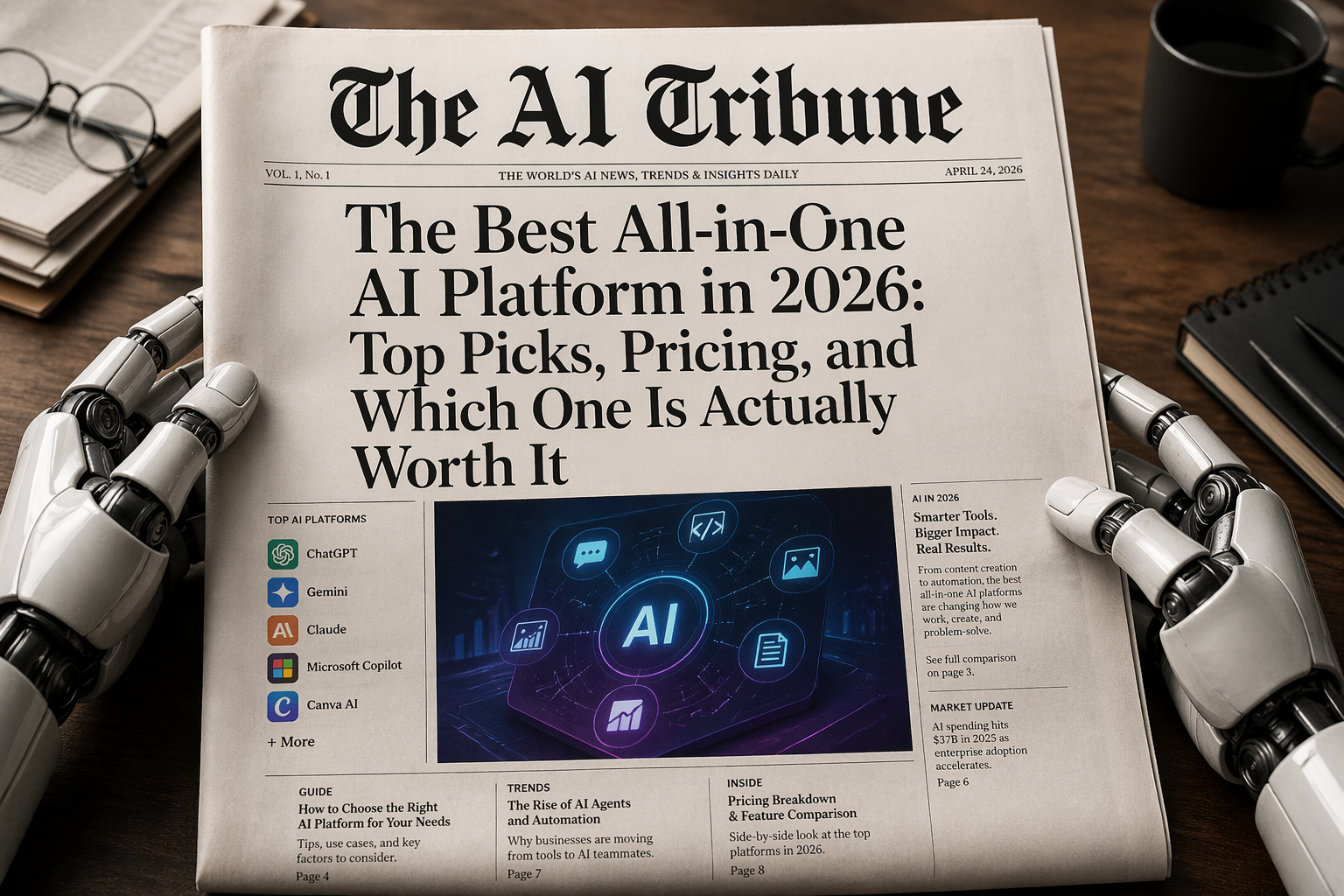
The phrase “the best all-in-one AI platform” sounds simple until you actually try to choose one.
One platform writes emails beautifully but struggles with visuals. Another creates stunning images but is not great for research. Another connects to your work apps but feels expensive if you only use it twice a week. And then there are tools that claim to do everything: writing, coding, image generation, slides, automation, research, agents, voice, video, workflows, and team collaboration.
So, what is the actual best all-in-one AI platform in 2026?
For most individuals, creators, students, marketers, and small business owners, ChatGPT is currently the best all-in-one AI platform overall because it combines writing, research, coding, image generation, file analysis, task support, app connections, and broad general usefulness in one place. OpenAI’s current ChatGPT plans include access to GPT-5.5 on paid tiers, with higher limits and advanced tools for writing, research, coding, memory, and work tasks. (ChatGPT)
But that does not mean ChatGPT is the best choice for everyone.
If you live inside Google Docs, Gmail, Drive, and Sheets, Google Gemini may feel more natural. If your company runs on Word, Excel, PowerPoint, Outlook, and Teams, Microsoft 365 Copilot might be the smarter choice. If you mostly create graphics, presentations, videos, thumbnails, and brand assets, Canva AI may be more useful than a pure chatbot. And if you want a newer “AI workspace” that can create slides, docs, images, videos, code, and designs in one place, Genspark deserves attention too. (Google One)
The key is not asking, “Which AI platform has the most features?”
The better question is: Which AI platform replaces the most tools in your actual day?
That is where the answer gets interesting.
What Makes the Best All-in-One AI Platform?
The best all-in-one AI platform should do more than answer questions. In 2026, a serious AI platform should help with at least five things:
Content creation: blog posts, social captions, email drafts, product descriptions, video scripts, ads, outlines, and editing.
Research: web search, source summaries, document analysis, competitive research, market research, and fact-checking support.
Visual creation: images, slides, charts, designs, thumbnails, mockups, and sometimes video.
Productivity: summarizing meetings, organizing notes, analyzing files, creating plans, drafting reports, and helping with decisions.
Automation or agents: connecting to apps, completing multi-step workflows, sorting information, generating deliverables, or helping teams work faster.
That last point matters most. A normal chatbot is useful. But an all-in-one AI platform should feel like a work hub, not just a box where you type prompts.
This is why the market is moving so fast. McKinsey’s 2025 State of AI report found that 62% of surveyed organizations were at least experimenting with AI agents, while nearly two-thirds had still not scaled AI across the full enterprise. That means companies are using AI, but many are still trying to figure out how to turn scattered experiments into real operating systems. (McKinsey & Company)
Menlo Ventures also reported that enterprise AI spending surged from $1.7 billion in 2023 to $37 billion in 2025, showing that AI tools are no longer just side experiments. Businesses are actively paying for platforms that can replace or connect multiple pieces of software. (Menlo Ventures)
That is why “all-in-one” matters. People do not want ten subscriptions if one platform can handle 70% of the job.
Best All-in-One AI Platform Overall: ChatGPT
If I had to recommend one AI platform to a regular person, solo creator, freelancer, student, marketer, or small business owner, I would still start with ChatGPT.
Why? Because it is the most balanced.
ChatGPT can help you write a blog post, summarize a PDF, brainstorm a business idea, create an image, analyze a spreadsheet, debug code, plan a trip, draft an email, generate social posts, structure a YouTube script, explain a legal-looking document in plain English, and help build workflows. It is not always the best at every single task, but it is strong across the widest range of tasks.
That is what “all-in-one” really means.
Online reviews generally reflect that same pattern. On G2, users often praise ChatGPT for being beginner-friendly, easy to understand, useful for daily work, and flexible across many types of questions and tasks. (G2) Capterra reviews also show users describing it as valuable for troubleshooting, idea generation, and everyday productivity, with one reviewer saying they “would not be able to do” their job without it. (Capterra)
Where ChatGPT is strongest
ChatGPT is especially good for:
- Writing and editing
- Research assistance
- Coding help
- Data analysis
- Brainstorming
- Image generation
- Learning and explanations
- Everyday productivity
- Multi-purpose business work
It also benefits from a huge ecosystem. There are tutorials, prompt libraries, integrations, workflows, templates, and third-party guides everywhere. That matters because a powerful AI tool is only useful if people know how to actually use it.
For AI Tribune readers who already compare specific models and tools, this is where a deeper review like Kimi AI Review 2026 becomes useful. Kimi, Gemini, Claude, DeepSeek, Grok, and ChatGPT are all part of the same bigger question: are you choosing one AI assistant, or are you building a stack of specialized tools?
Where ChatGPT is weaker
ChatGPT is not perfect. It can still hallucinate. It may sound confident when it is wrong. Some tasks require careful prompting. And if your company already pays for Google Workspace or Microsoft 365, ChatGPT may not feel as deeply embedded in your daily files and apps as Gemini or Copilot.
That is the main tradeoff.
Verdict: ChatGPT is the best all-in-one AI platform for most people because it is the strongest general-purpose option. It is the platform I would pick if someone wanted one AI subscription and did not want to overthink it.
Best All-in-One AI Platform for Google Users: Gemini
If your workday already lives inside Gmail, Google Docs, Google Drive, Google Sheets, Google Meet, and Google Calendar, then Google Gemini deserves a serious look.
Gemini’s biggest advantage is not just the model. It is the ecosystem.
Google’s AI plans include Gemini access alongside cloud storage and other Google benefits, while Gemini’s paid plans offer higher limits and advanced features depending on the tier. Google AI Ultra, for example, is listed at $249.99/monthand includes 30 TB of storage through Google One, higher limits, and additional AI benefits across Google products. (Google One)
For normal users, that might be overkill. But for people already deep in Google’s world, Gemini can feel incredibly convenient.
G2’s review summary says users often praise Gemini for its Google ecosystem integration, especially tasks like drafting emails, summarizing documents, research, and content creation. Some users also point out weaknesses, including generic answers or trouble with more complex queries. (G2)
That matches the practical reality. Gemini is great when the task is connected to Google apps. It becomes less obviously dominant when you need platform-agnostic work across many different tools.
Where Gemini is strongest
Gemini is especially useful for:
- Gmail summaries and email drafting
- Google Docs writing
- Google Drive research
- Google Sheets help
- Search-connected answers
- Google Workspace productivity
- Multimodal tasks inside Google’s ecosystem
Where Gemini is weaker
Gemini may not always feel as flexible as ChatGPT for creative writing, coding, or general-purpose problem solving. Some users also complain about context loss, hallucinations, or needing practice to get the best results. Capterra reviews highlight strong Google Docs and Drive integration, while also noting that users may need time to learn how to prompt it well. (Capterra)
Verdict: Gemini may be the best all-in-one AI platform if your “office” is already Google Workspace.
Best All-in-One AI Platform for Microsoft Teams: Microsoft 365 Copilot
For companies already using Microsoft 365, Microsoft Copilot may be the most practical all-in-one AI platform.
It is not always the flashiest AI assistant. But it sits inside the tools many businesses already use every day: Word, Excel, PowerPoint, Outlook, and Teams.
Microsoft says Copilot Chat is available at no additional cost for eligible Microsoft Entra account users with qualifying Microsoft 365 subscriptions, while Microsoft 365 Copilot adds deeper productivity features for business users. (Microsoft)
This is why Copilot matters for companies. Employees do not necessarily want to copy text from Word into a chatbot, then paste it into PowerPoint, then ask another tool to summarize a meeting. They want AI inside the software where the work already happens.
Recent coverage also shows Microsoft pushing Copilot deeper into Office apps with “Agent Mode” in Word, Excel, and PowerPoint, designed to handle more direct, multi-step work inside documents, spreadsheets, and presentations. (The Verge)
Online reviews are mixed but useful. G2 reviewers often praise Microsoft Copilot for turning unstructured information into usable summaries, helping with policy work, documentation, risk reviews, and Microsoft 365 workflows. (G2) Capterra reviews also describe it as useful for business summaries and daily AI chat. (Capterra)
Where Microsoft Copilot is strongest
Microsoft Copilot is especially useful for:
- Word documents
- Excel analysis
- PowerPoint creation
- Outlook email summaries
- Teams meeting summaries
- Internal business documentation
- Enterprise workflows
- Microsoft security and admin environments
This also connects to a bigger enterprise trend. If you are looking at AI for customer-facing chat, support, sales, or company-wide communication, AI Tribune’s guide to top conversational AI platforms for enterprise businesses is a natural next read because “all-in-one AI” starts looking very different once a team needs compliance, integrations, role permissions, and analytics.
Where Microsoft Copilot is weaker
Copilot is best when you are already in the Microsoft ecosystem. If you are a solo creator using Google Docs, Notion, Canva, and ChatGPT, Copilot may not feel like the most natural daily assistant.
It can also feel expensive if your team is not actually using Word, Excel, Teams, and Outlook heavily.
Verdict: Microsoft 365 Copilot is the best all-in-one AI platform for companies already built around Microsoft 365.
Best All-in-One AI Platform for Creators and Marketers: Canva AI
For creators, small businesses, social media managers, YouTubers, teachers, coaches, and local brands, Canva AI may be more useful than a traditional chatbot.
That sounds strange until you think about what creators actually need.
They need Instagram posts. YouTube thumbnails. Presentations. Brand kits. Short videos. Flyers. Ads. Website graphics. Product mockups. Lead magnets. Infographics. Carousels. Sometimes they need copy, but usually they need the copy and the design together.
That is where Canva becomes powerful.
Canva says its AI tools are available to everyone, with free access to some AI features and higher usage or more advanced tools on paid plans. (Canva) Canva also describes Canva AI as a conversational assistant for generating text, designs, visuals, and creative assets in one place. (Canva)
G2 reviews show users consistently praising Canva for ease of use, quick design creation, and producing high-quality visuals for social media, presentations, and other projects. (G2)
That is exactly why Canva AI belongs in this article. It may not beat ChatGPT at deep reasoning. It may not beat Gemini inside Google Docs. But for visual content, it is one of the most practical “all-in-one” platforms available.
Where Canva AI is strongest
Canva AI is especially useful for:
- Social media posts
- Presentations
- YouTube thumbnails
- Short videos
- Brand kits
- Marketing graphics
- Posters and flyers
- Simple AI writing
- Visual campaigns
- Non-designers who need professional-looking assets
This is also why Canva changed the design market. AI Tribune covered that shift in Canva Create 2025 Just Changed Graphic Design, and the trend has only become more obvious: design tools are becoming AI workspaces.
Where Canva AI is weaker
Canva is not the best choice for coding, deep research, complex reasoning, technical document analysis, or serious business automation. It is a creator platform first.
Verdict: Canva AI is the best all-in-one AI platform for people whose work is mostly visual.
Other Strong All-in-One AI Platforms Worth Considering
The “best” platform depends heavily on your workflow. Here are the other serious contenders.
| Platform | Best For | Main Strength | Main Weakness |
|---|---|---|---|
| Claude | Writing, research, coding, long documents | Natural writing, reasoning, document work | Fewer native visual features than ChatGPT |
| Perplexity | Research and source-backed answers | Fast research, citations, model choice | Less of a full creative workspace |
| Genspark | AI workspace and multi-format creation | Docs, slides, images, video, code, design | Newer platform, still proving reliability |
| Zapier AI | Automation | Connecting apps and workflows | Can get expensive with task volume |
| Mistral Le Chat | European AI alternative | Fast, multilingual, affordable plans | Smaller ecosystem than OpenAI, Google, Microsoft |
Claude is one of the best AI platforms for writing, coding, and serious document work. Anthropic’s Claude pricing page lists a free plan, Pro at $20/month when billed monthly, and features like Claude Code, projects, Research, and Office-related capabilities depending on the plan. (Claude) G2’s Claude review coverage praises its natural writing, strong reasoning, large context windows, and useful agentic features, while noting strict usage limits and fewer multimodal features than ChatGPT. (G2 Learn Hub)
Perplexity is excellent for research. Its Pro plan is listed at $17/month when billed annually, while Perplexity Max costs $200/month or $2,000 annually. (Perplexity AI) If your main job is finding, checking, and summarizing information, Perplexity may beat more general tools.
Genspark is interesting because it directly markets itself as an “all-in-one AI workspace” for slides, docs, images, video, code, and design. (Genspark) That makes it one of the closest matches to the keyword itself. The caution is that newer AI workspace platforms can feel impressive in demos but uneven in daily use, so test before committing.
Zapier is not a chatbot-first platform, but it matters because automation is where AI becomes business infrastructure. Zapier’s free plan includes 100 tasks per month, while paid plans increase automation capacity. (Zapier) It is a better fit for people who want AI to connect apps rather than simply answer questions.
Mistral Le Chat is worth watching, especially for European users and companies that care about alternatives to U.S. Big Tech. Mistral lists Le Chat and Mistral AI Studio plans, with Pro features including more messages, web searches, deep research reports, document storage, projects, coding support, and image generation. (Mistral AI)
How to Choose the Best All-in-One AI Platform for You
Here is the simplest way to choose.
Choose ChatGPT if you want one tool for almost everything: writing, research, coding, images, files, brainstorming, learning, planning, and general productivity.
Choose Gemini if your work happens mostly inside Google Workspace.
Choose Microsoft Copilot if your company already runs on Microsoft 365 and you need AI inside Word, Excel, PowerPoint, Outlook, and Teams.
Choose Canva AI if you create visuals, social media content, presentations, thumbnails, ads, or branded marketing assets.
Choose Claude if your work depends on polished writing, long documents, technical reasoning, or coding support.
Choose Perplexity if research quality and source-backed answers matter more than design or automation.
Choose Genspark if you want a newer AI workspace that tries to combine documents, slides, visuals, videos, coding, and research in one place.
Choose Zapier AI if your real problem is not content creation, but automation between apps.
Here is my practical rule: before paying for an AI platform, write down the five tasks you actually do every week.
For example:
- Write blog posts
- Create graphics
- Summarize research
- Analyze documents
- Draft emails
If one platform handles four of those five well, it is probably your best all-in-one AI platform. If it only handles one or two, it is not all-in-one for you. It is just another subscription.
Final Verdict: What Is the Best All-in-One AI Platform in 2026?
The best all-in-one AI platform in 2026 is ChatGPT for most users, Gemini for Google Workspace users, Microsoft 365 Copilot for Microsoft-heavy teams, and Canva AI for visual creators.
If you want the most balanced answer, choose ChatGPT.
It is not perfect. No AI platform is. But it currently offers the strongest mix of writing, research, coding, file analysis, image creation, productivity support, and general-purpose usefulness in one platform. That makes it the safest recommendation for most people searching for the best all-in-one AI platform.
But the smartest answer is personal.
A YouTuber may get more value from Canva AI. A lawyer may prefer Claude. A sales team may need Copilot. A researcher may live in Perplexity. A startup founder may use ChatGPT plus Zapier. A large company may use three platforms because one tool rarely handles security, content, automation, and internal knowledge perfectly.
So here is the real question:
If you had to delete every AI tool except one, which platform would save you the most time every week?
That is your best all-in-one AI platform.
And if you have already tested ChatGPT, Gemini, Claude, Copilot, Canva AI, Genspark, or Perplexity, share your experience in the comments. Which one actually replaced the most tools for you — and which one looked amazing in demos but disappointed you in real life?


Leave a Reply